
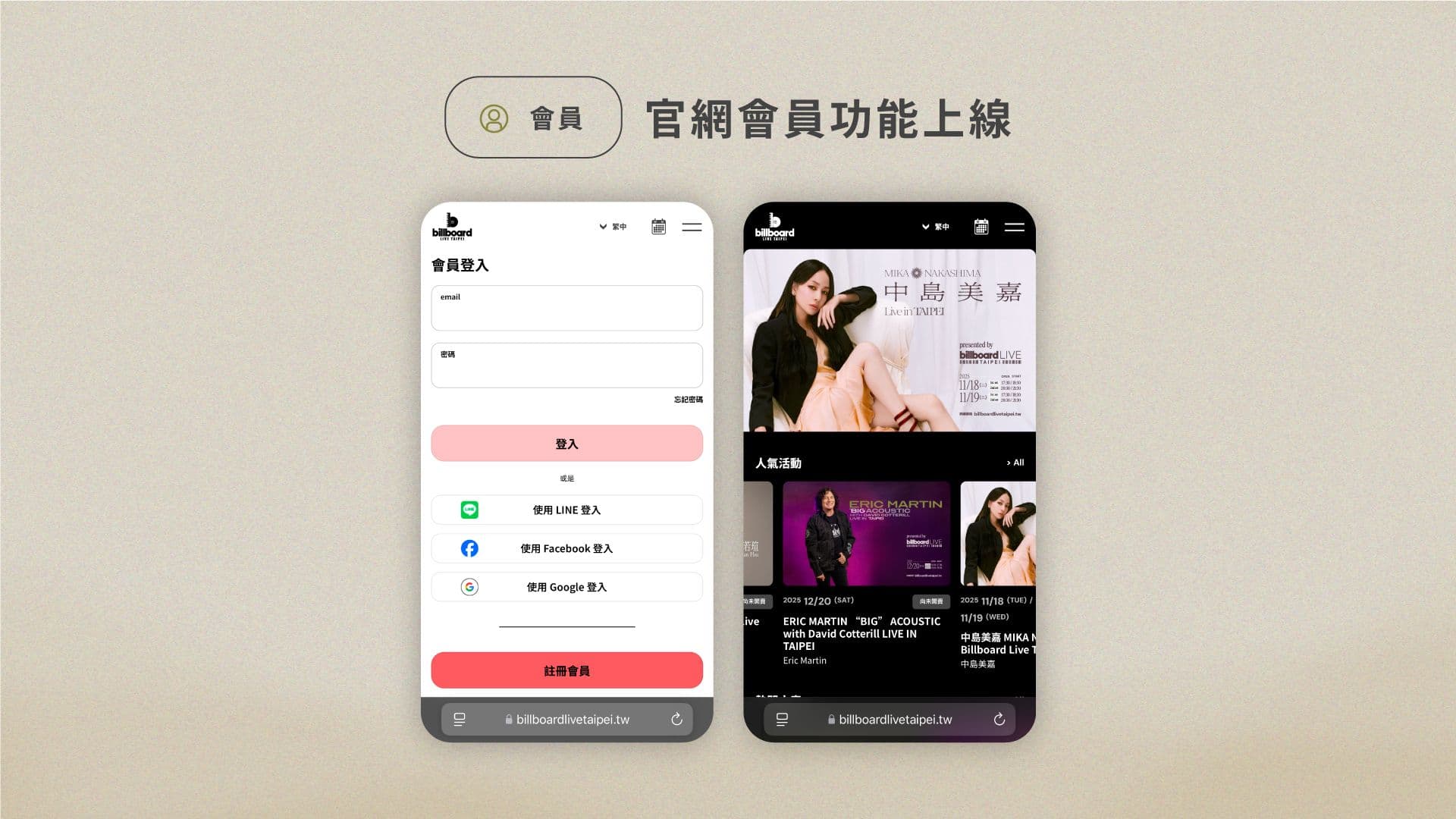

1. Login Methods
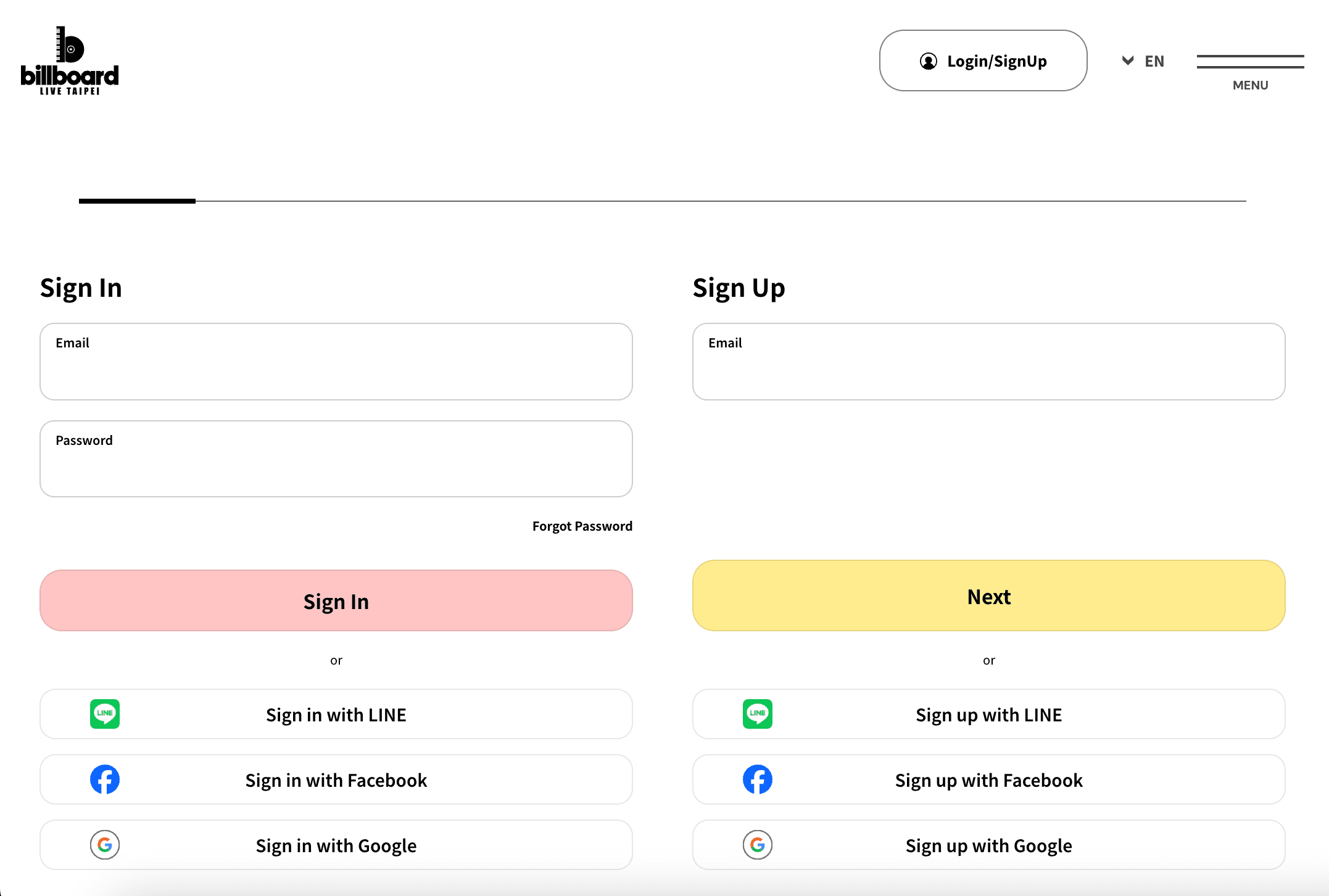
- On the official website, click “Login”.
- Enter your email and password, then click “Login”.
- You may also log in using LINE, Facebook, or Google accounts.
- If you forget your password, click “Forgot Password” to reset it.
2. Membership Page Functions
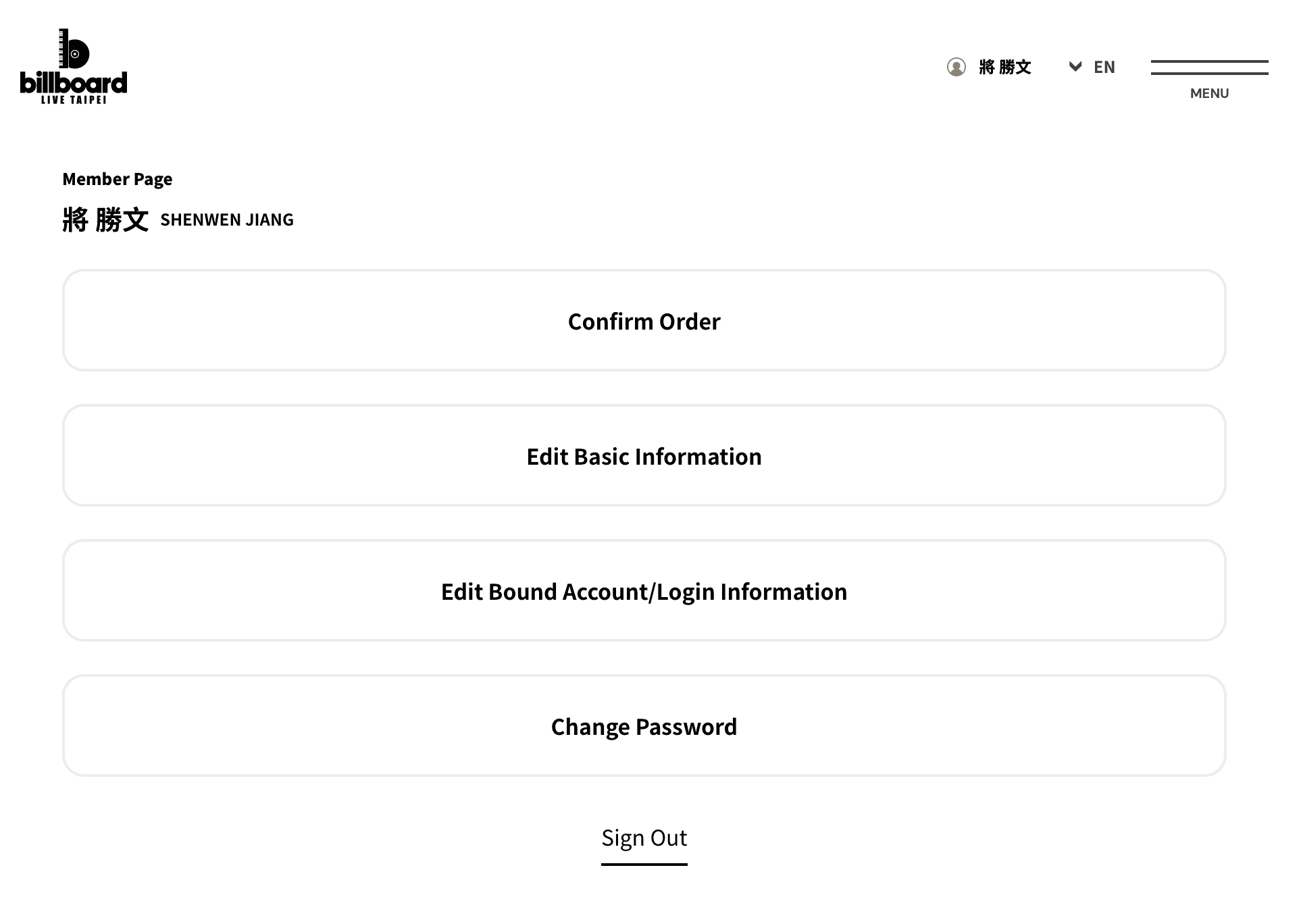
Once logged in, the following functions are available:
- Order History: Check purchased concert tickets (upcoming and past).
- Edit Profile: Update phone number, residence, language, and music preferences.
- Manage Linked Accounts: Add or remove linked LINE, Facebook, or Google accounts.
- Change Password: Update your login password.
- Logout: Safely log out of your account.
3. Edit Personal Information
- From “Edit Profile”, you can update:
- Phone number
- Residence
- Language(s) (multiple selections allowed)
- Music preferences
- Favorite artists (up to 2)
- Newsletter subscription
- Click “Confirm Changes” after editing.
4. Change Password
- Click “Change Password”.
- Enter your current password, then a new one and confirm it.
- The new password must be at least 8 characters long, including uppercase letters, lowercase letters, and numbers.
5. Manage Linked Accounts
- From “Manage Linked Accounts”, check your current linked accounts.
- Add or remove connections with LINE, Facebook, or Google.
6. Order History
- Click “Order History” to view all your purchases.
- Filter by “All / Upcoming / Completed”.
7. Membership Withdrawal
If you wish to withdraw from your Billboard Live TAIPEI membership, please send an email request to:
info@billboardlivetaipei.tw
We will confirm your withdrawal by email once the process is completed.
Article Author
